DAT160 Machine Learning
On this page you can learn about the basics of machine learning. The page provides some interactive visualisations where you can go step-by-step through how different layer architectures work, i.e. how they compute the layer output.
The sections below cover namely:
- Dense Networks
- Optimisers
- Convolutional Networks
Dense Networks
The interactive demo below explains how the values of neurons are computed for fully connected (sometimes also called dense) layers. The layers compute a linear combination of the input values. In order to being able to approximate non-linear functions, we have to add a non-linearity to the layer. This is implemented in the form of an Activation Function. The demo below uses the ReLU activation function which sets all negative values (before activation) to 0 (after activation) and lets all positive values remain the same before and after the activation.
Forward pass: for each neuron, multiply every incoming value by its connection weight, add the products and bias, then apply the activation function.
The hidden layer uses ReLU, max(0, z). The output layer uses sigmoid, 1 / (1 + e-z).
3 input values · 3 hidden neurons · 2 output neurons
Optimisers
Optimisers guide the way we adjust the weights of the model we are training, i.e. how we change the settings of the layers. Below is a neat visualisation of how different optimisers work for a given loss surface.
Linear Regression
First, we visualise how a very simple model for a linear regression minimises the error for predicting the points in the plot on the left. The loss surface is on the right. The lower the loss, the more accurate the model predictions. The GIF shows the training process where we find a better and better model for the linear regression.
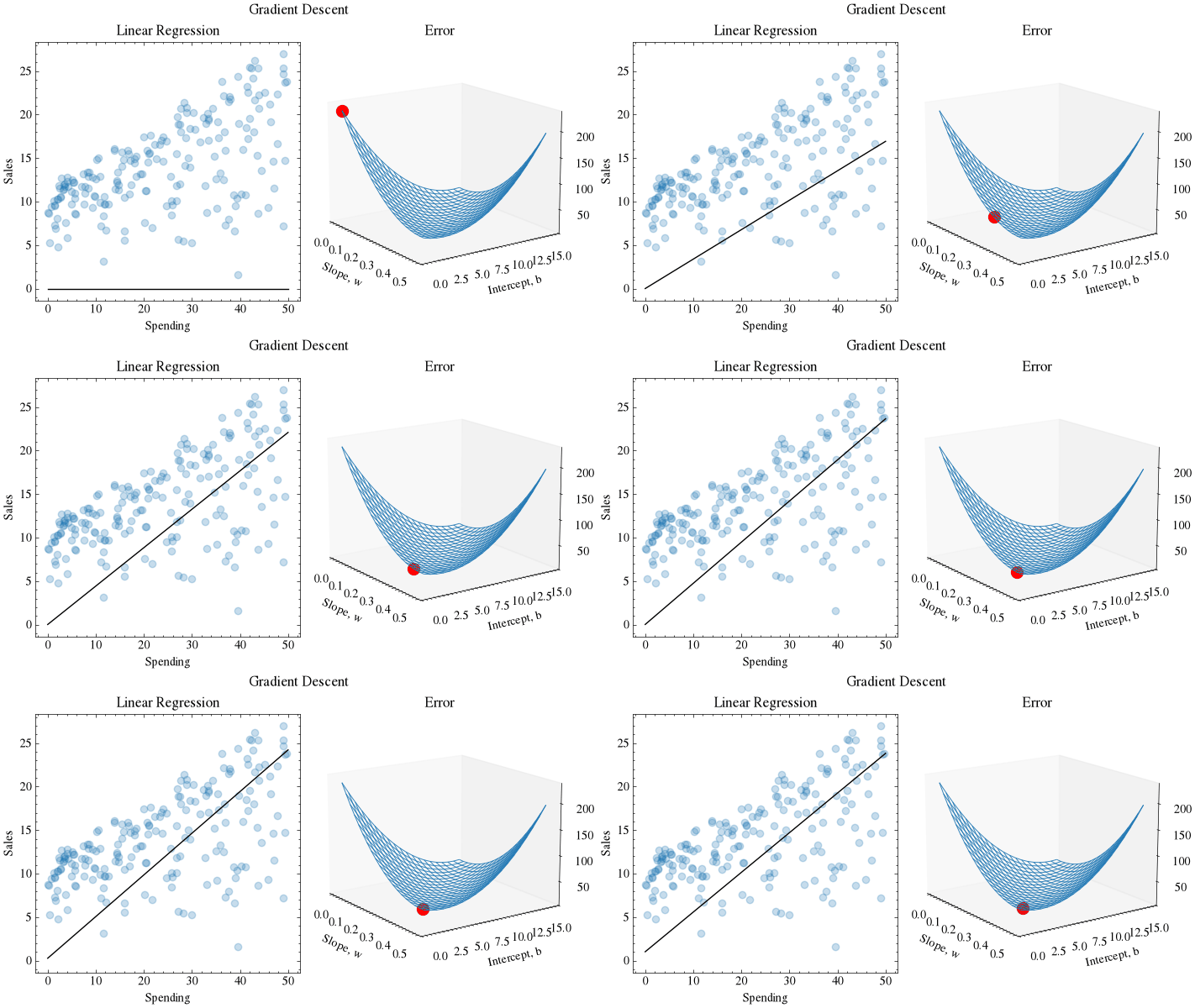 Linear Regression optimisation as example for gradient descent. Model prdiction (line) on the left and loss surface on the right.
More Complex Loss Surfaces
The following two surfaces pose different challenges and the optimisers perform more or less well on the surfaces. We generally use Adam as the default choice, as it is generally good to have adaptive learning rates.
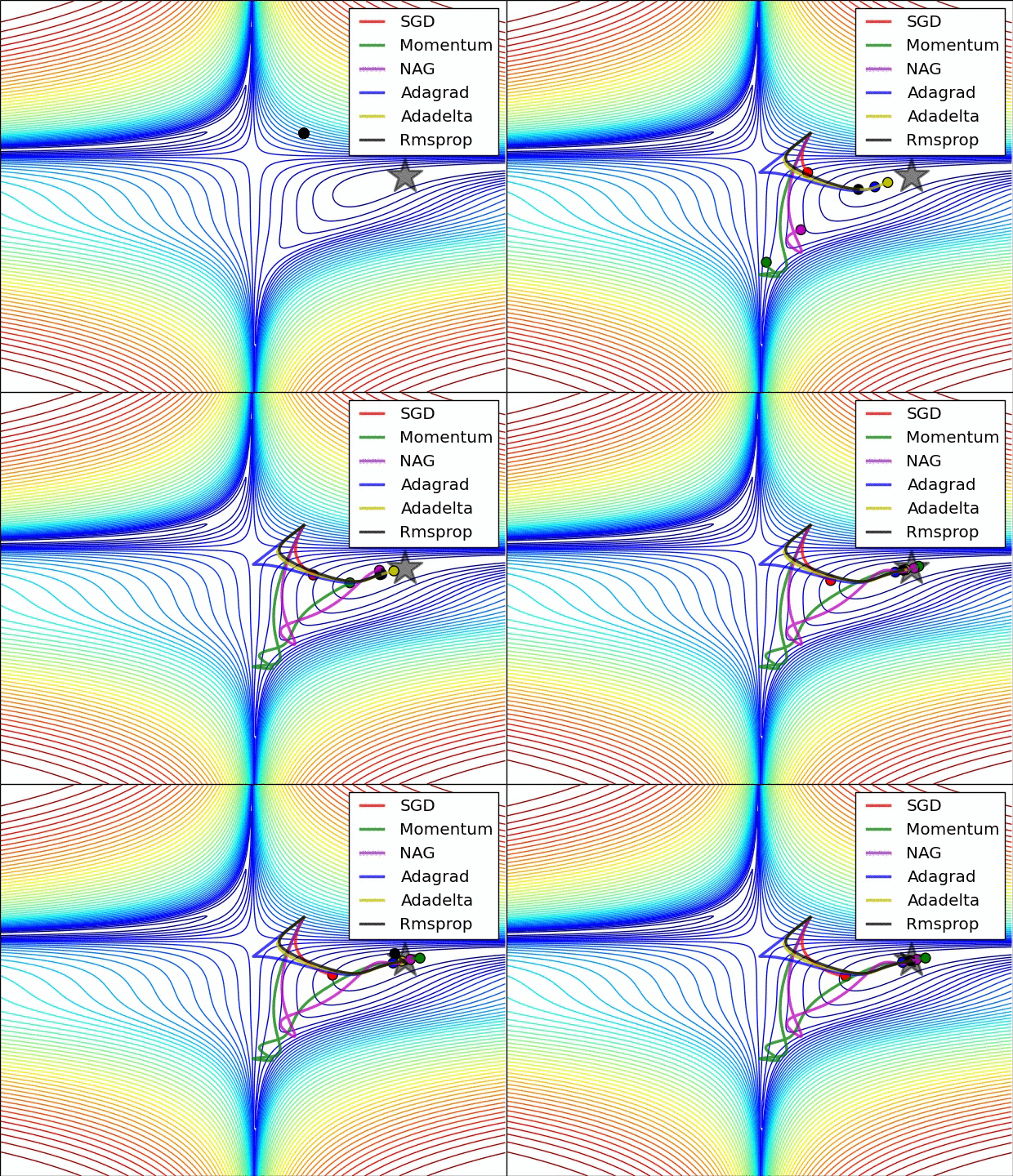 Different optimisers on Loss surface visualised in 2D.
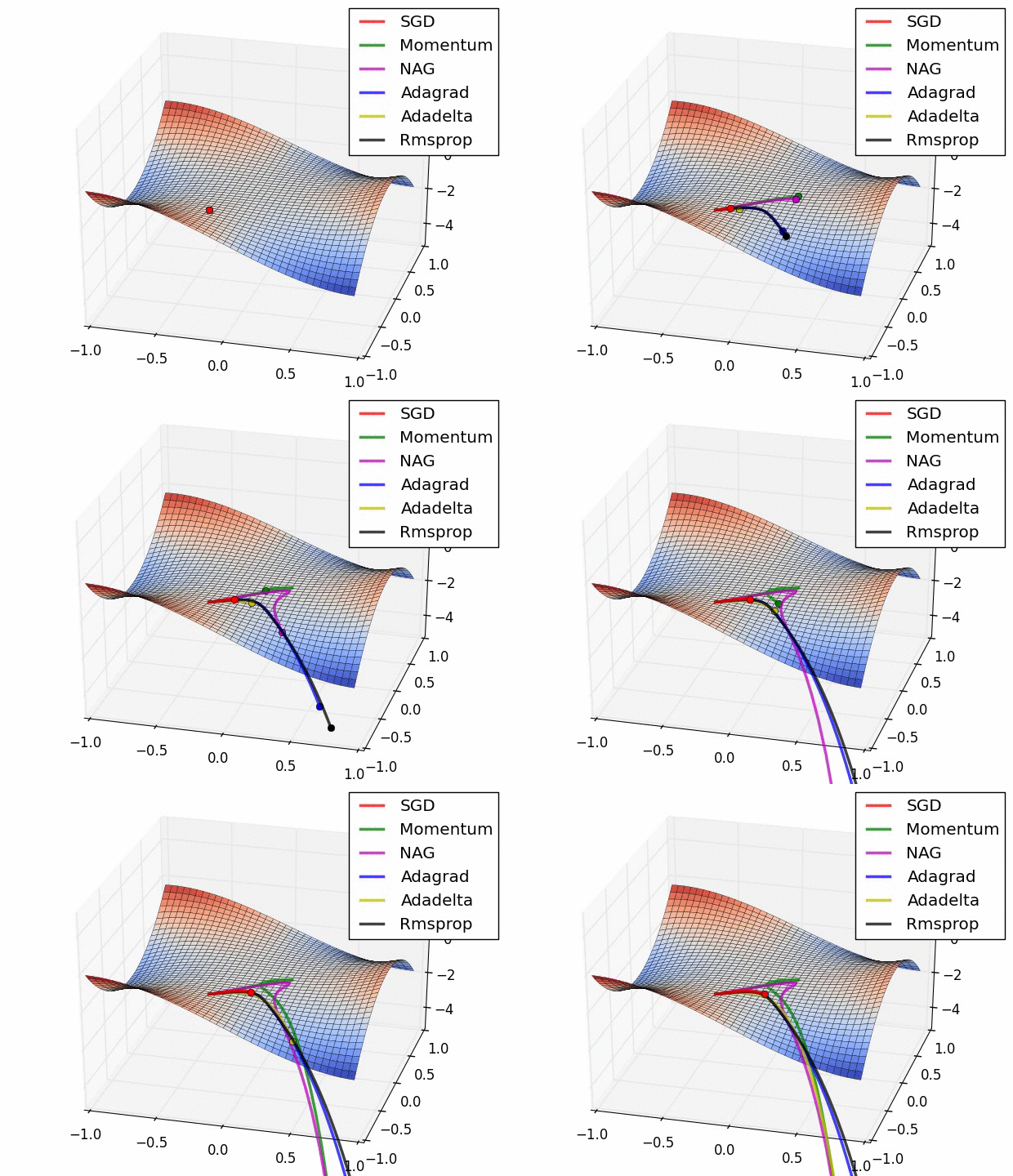 Different optimisers on yet another Loss surfacewith saddle shape, visualised in 3D.
Convolution
Use the interactive step-by-step visualization of convolution operation in Convolutional Neural Networks below to experiment with different matrix sizes, kernel sizes, strides and padding. Step through the process to see how the output matrix is computed.
The interactive demo is only available on larger devices (screen width of at least 1024px) due to horizontal space restrictions. Please view this page on a laptop or desktop.
Convolution is a fundamental operation in CNNs that extracts features from input data. Here's what happens:
- Kernel slides over the input matrix from top-left to bottom-right
- At each position, the kernel overlaps with a KxK region of the input
- Element-wise multiplication is performed between kernel and overlapped input region
- Sum all products to get a single value in the output matrix
- Repeat until kernel has covered all valid positions
This process creates feature maps that help the network detect patterns like edges, textures, and more complex features in deeper layers in a very efficient way. The efficiency stems from the fact that we only need to learn the parameters of the kernel, as opposed to one parameter per multiplication as in dense layers.